Comparison
Simagic GT Neo vs MOZA KS
Manufacturer specifications checked · UK buying advice
Quick answer
Choose the GT Neo for a SIMAGIC setup or a carefully checked third-party PC setup using MagLink. Choose the original KS for native integration with a supported MOZA base. Both are 300mm GT-style wheels; neither enables Xbox or PlayStation support. This comparison covers the original KS, not the display-equipped KS Pro.
| Specification | SIMAGIC GT Neo | MOZA KS (original) |
|---|---|---|
| Diameter | 300mm | 300mm |
| Construction | Injection-moulded carbon-fibre-reinforced composite | Carbon-fibre-reinforced composite; TPE grips |
| RGB buttons | 10 | 10 short-travel buttons |
| Main switches | Two 7-way switches | Two depressible joysticks |
| Rotary / thumb encoders | 4 / 2 | 3 / 2 |
| Paddles | Paddle modules included; confirm supplied configuration | Two magnetic shifters + two clutch paddles |
| Screen | No integrated screen specified | No integrated screen specified |
| Quick release | SIMAGIC QR50 included | MOZA quick release |
| Software | SimPro Manager; SimHub via MagLink | MOZA Pit House |
| Third-party PC setup | MagLink plus suitable mechanical mounting | MOZA Universal Hub / PC adapter plus suitable mounting |
| Console licence | Neither Xbox nor PlayStation | Neither Xbox nor PlayStation |
Start with your wheelbase, not the button count
A steering wheel does not create force feedback: the wheelbase does. These two wheels change your grip, controls and connection options, not the motor's torque rating. If you already own a SIMAGIC base, the GT Neo is the native-ecosystem option. If you own a MOZA base, the KS offers native MOZA integration, subject to the exact model and revision in MOZA's compatibility chart. Starting from scratch? Compare the complete base-and-wheel cost before choosing a wheel in isolation.
Controls: what is actually different?
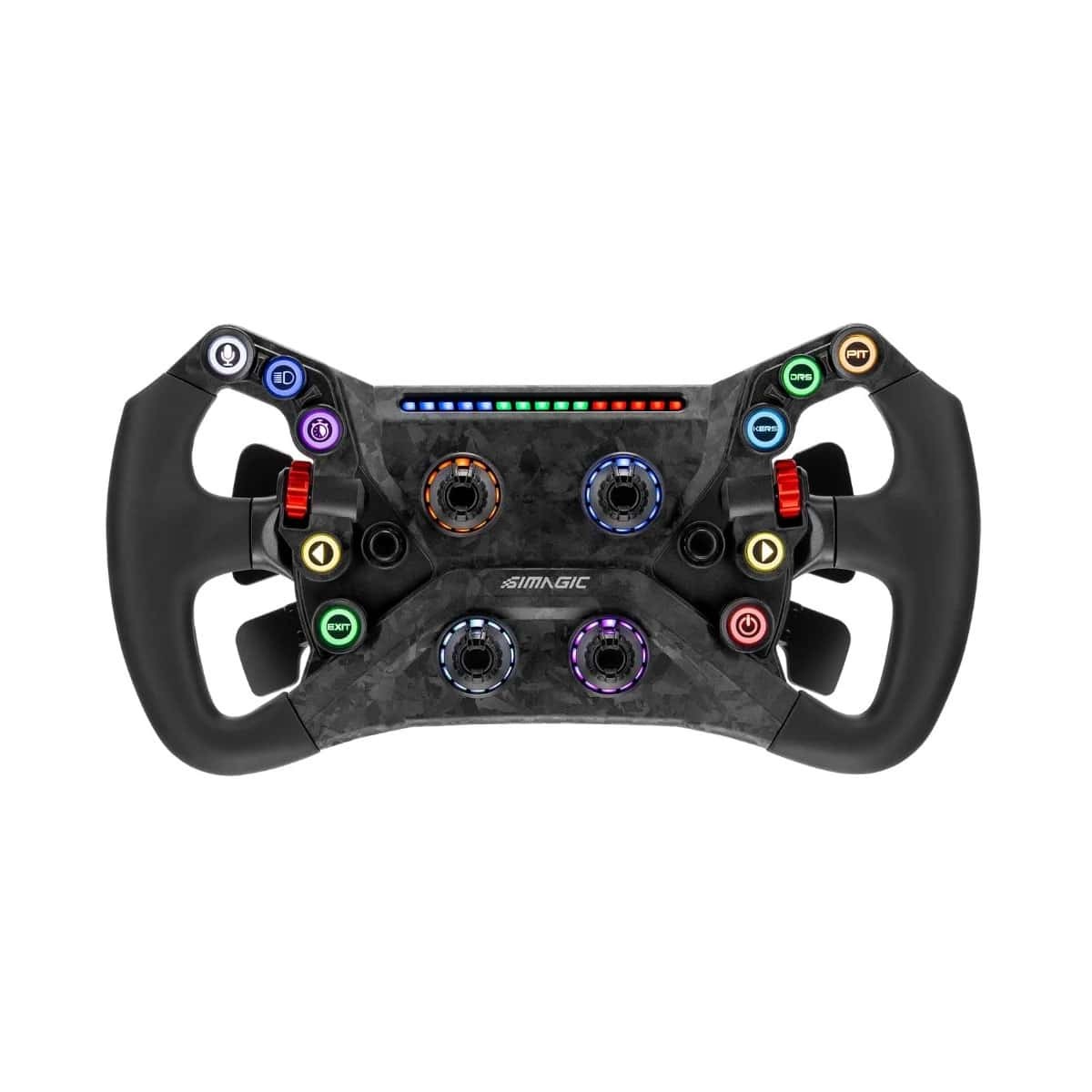
Both use a 300mm diameter and ten RGB buttons, but the layouts are not identical. SIMAGIC lists four rotary encoders, two thumb encoders and two 7-way switches. MOZA lists three rotary encoders, two thumb encoders and two depressible joysticks. Think about the controls your games need: brake bias, traction control, ABS, menus and pit adjustments. More encoders can give more dedicated adjustments, but do not establish better ergonomics for every driver. These are manufacturer-specification comparisons, not claims based on our own driving tests.
Paddles, materials and the missing screen
MOZA explicitly specifies two magnetic shifter paddles and two clutch paddles on the original KS, with clutch operation configurable in Pit House. SIMAGIC's GT Neo specification lists included paddle modules; confirm the supplied configuration before ordering rather than assuming it matches every version photographed online. Both makers describe carbon-fibre-reinforced composite construction, not a solid carbon-fibre wheel body. Neither original model lists an integrated display. If an advert shows a KS with a 2.99-inch screen, it is the separate KS Pro and should not be compared as the same product.
Can you use a GT Neo on a MOZA wheelbase?
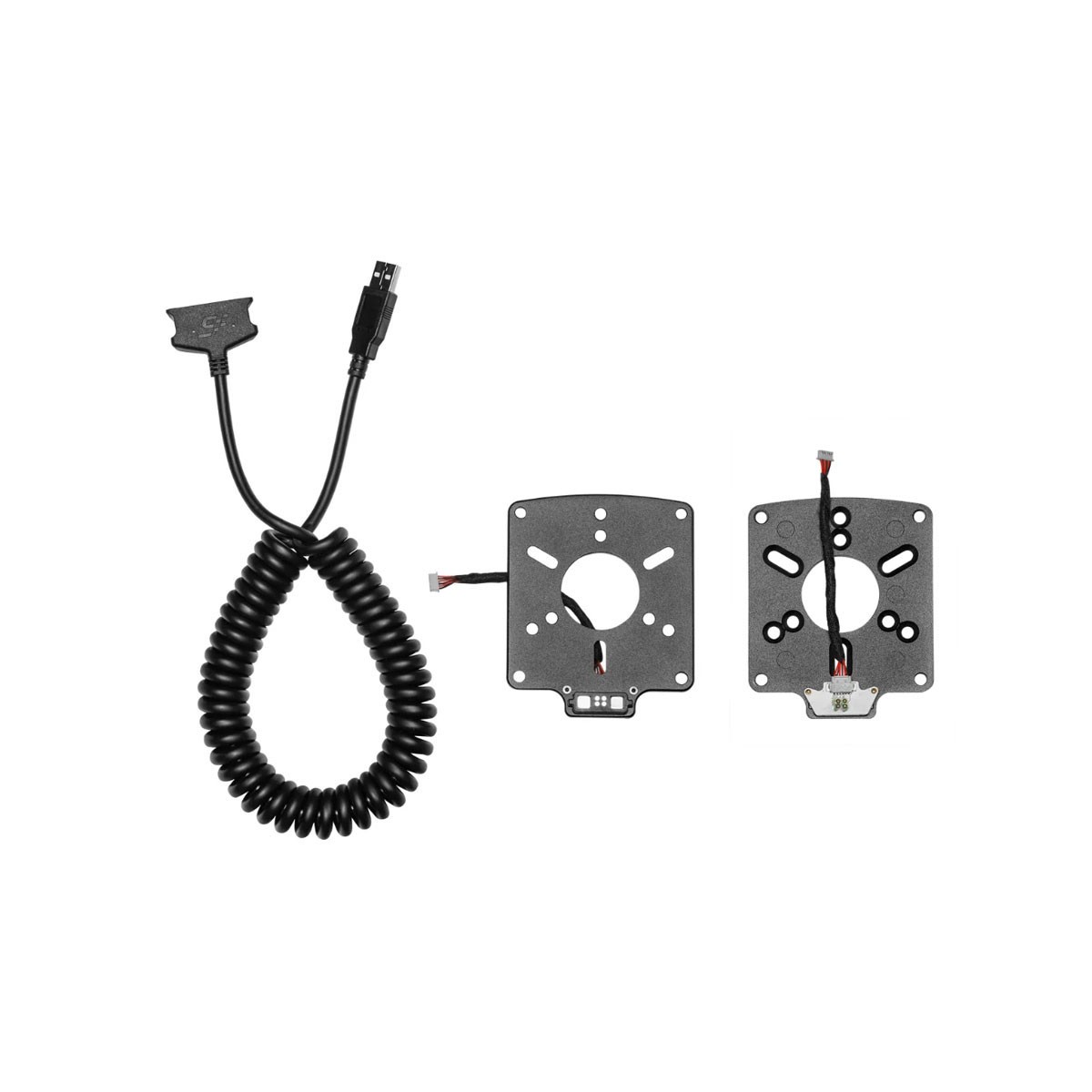
A third-party PC setup can be possible, but there are two separate checks. First, confirm that the quick release or adapter physically fits your exact base shaft and locks securely. Second, provide a supported power-and-data connection for the wheel's controls. A mechanical fit does not make the GT Neo communicate natively with MOZA electronics. SIMAGIC documents MagLink for wired PC use and third-party mounting; its stated fitment is most 50mm and 70mm quick releases, not every base on the market. Confirm your exact combination before buying. The Rig Builder deliberately offers native brand pairings, so it will not validate this cross-brand arrangement.
What to check before fitting MagLink
Identify the wheelbase model and revision, confirm the wheel-side mounting arrangement, and check whether you need an additional quick release or adapter. Use the documented MagLink connection to the PC rather than assuming the base carries SIMAGIC button data. Follow SIMAGIC's installation guide, leave safe cable clearance throughout steering travel, and verify buttons, paddles and LEDs in the supported software and game before racing. MagLink is a separate accessory; an included SIMAGIC QR50 is not proof that your existing third-party shaft accepts it. Contact sales@ratherace.co.uk with the exact base and wheel configuration if you need help checking the parts.
Does the MOZA KS work on Xbox or PS5?
The original KS does not provide an Xbox licence and is not a native PlayStation wheel. MOZA's Xbox support depends on a supported base and the Xbox-licensed ESX wheel, not simply on owning an R3 or another Xbox-capable base. Replacing the licensed wheel with a KS does not transfer its licence. Likewise, neither the KS nor the GT Neo becomes PlayStation-compatible by using a PC USB cable. Treat both options here as PC choices; unofficial console adapters are outside this comparison.
UK value: compare the complete fitted cost
Compare VAT-inclusive UK prices for the exact wheel, then add any connection kit, quick release, adapter and delivery charge. The current Ratherace GT Neo and MagLink prices appear below and come from the shop catalogue, rather than a fixed price written into this guide. We do not currently list the original KS separately, so we are not presenting the KS Pro's price as its price or inventing an original-KS stock offer. Before buying a KS elsewhere, confirm that the listing really is the original model and that it supports your base revision. A cheaper wheel can become the more expensive choice once connection hardware is included.
Verdict: native integration or a flexible PC connection?
For an existing SIMAGIC setup, start with the GT Neo. For an existing supported MOZA setup, the original KS is the native-integration choice. For a cross-brand PC rig, investigate the GT Neo with MagLink only after checking mechanical fit, cable routing and software support; MOZA also documents a Universal Hub / PC-adapter route for supported third-party configurations. Neither route is a universal compatibility guarantee. Choose from the complete fitted cost and the controls you need, not an unsupported claim that one wheel will make you faster.
Current Ratherace prices
- SIMAGIC GT Neo£217.50
- SIMAGIC Maglink£24.00
Prices include UK VAT. Connection hardware is separate unless explicitly included.
Build a native-compatible rigFrequently asked questions
Does the SIMAGIC GT Neo include a quick release?
SIMAGIC lists its QR50 as included. That does not guarantee a mechanical fit on another manufacturer's wheelbase.
Does a GT Neo work with a MOZA wheelbase?
A third-party PC arrangement may work with suitable mechanical mounting and a documented MagLink PC connection. Mechanical fit alone does not establish native MOZA electronic compatibility; check the exact base, adapter and cable arrangement.
Is the MOZA KS Xbox-compatible?
The original KS is not Xbox-licensed. MOZA Xbox operation requires a supported base and an Xbox-licensed ESX wheel; the base alone does not make the KS compatible.
Is the MOZA KS the same as the KS Pro?
No. This comparison covers the original KS. The KS Pro is a separate model with a 2.99-inch display; its price and display specification must not be attributed to the original KS.
Sources & scope
Based on published manufacturer documentation, not a hands-on review. Compatibility and product revisions can change; confirm the exact hardware before ordering.
- SIMAGIC GT Neo — official specifications (opens in a new tab)
- SIMAGIC MagLink — official mounting and connection information (opens in a new tab)
- MOZA KS — official product details (opens in a new tab)
- MOZA KS — official support specifications (opens in a new tab)
- MOZA — model and revision compatibility chart (opens in a new tab)
- MOZA — wheelbase and console FAQs (opens in a new tab)